#include <image.h>
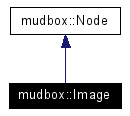
Inheritance diagram for mudbox::Image:
There are three differend kinds of images;
The third type of image is the most versatile -- It is stored as 128 pixel square tiles -- tiles are copy-on-write, versioned, and have their own virtual memory system optimized for images. Texture layers are typically stored in this third type of image so that paint operations on them are easily undoable.
Public Types |
|
| enum | ImageType { Type_Invalid = 0, Type_Memory, Type_Virtual } |
| used to identify what type of image any
particular instance is. More... |
|
| enum | Format { e8integer = 0, e16integer, e32integer, e16float, e32float, e16depth, e24depth, e32depth, eUnknown, eInvalid } |
| Image channel datatype type.
More... |
|
Public Member Functions |
|
| virtual const mudbox::ClassDesc * | RuntimeClass (void) const |
| void | UnitTest (int iterations) |
| cause the image storage mechanisms to be
tested randomly for the specified number of iterations. |
|
| virtual bool | isAllocated () const |
| ImageType | getType () const |
| return the image type. |
|
| const ImageDescriptor & | getDescriptor () const |
| get the full descriptor for the image
|
|
| int | xSize () const |
| Get the x size of the image. |
|
| int | ySize () const |
| Get the y size of the image. |
|
| int | cSize () const |
| Get the channel count of the image. |
|
| ImageDescriptor::MemoryChannelOrder | channelOrder () const |
| Get the channel ordering of the image.
|
|
| const ImgTile & | getBounds () const |
| returns the bounds of the image -- the
origin of this rect may not be at 0,0 |
|
| void | getFillColor (void *fillPixel, const PixelDescriptor *pd=0) const |
| Reads the fill color into the provided
buffer, in the specified format -- if no format is provided, it
uses the pixel format of this image. |
|
| void | setFillColor (const void *fillPixel, const PixelDescriptor *pd=0) |
| Sets the fill color into the provided
buffer, in the specified format -- if no format is provided, it
uses the pixel format of this image. |
|
| void | getTile (int x, int y, int nx, int ny, void *data, const PixelDescriptor *pd=0) |
| Reads a rectangular region of pixels from
the image into a buffer. |
|
| void | getSubTile (int x, int y, int nx, int ny, void *data, int dx, int dy, int dnx, int dny, const PixelDescriptor *pd=0) |
| Reads a rectangular region of pixels from
the image into a buffer. |
|
| void | getTile (const ImgTile &srcTile, void *data, const PixelDescriptor *pd=0) |
| Reads a rectangular region of pixels from
the image into a buffer. |
|
| virtual void | getSubTile (const ImgTile &srcTile, void *data, const ImgTile &targetBounds, const PixelDescriptor *pd=0) |
| Reads a rectangular region of pixels from
the image into a buffer. |
|
| void | setTile (int x, int y, int nx, int ny, void *data, const PixelDescriptor *pd=0) |
| Writes a rectangular region of pixels to the
image from a buffer. |
|
| void | setSubTile (int x, int y, int nx, int ny, const void *data, int dx, int dy, int dnx, int dny, const PixelDescriptor *pd=0) |
| Writes a rectangular region of pixels from
the image into a buffer. |
|
| void | setTile (const ImgTile &dstTile, const void *data, const PixelDescriptor *pd=0) |
| Writes a rectangular region of pixels to the
image from a buffer. |
|
| virtual void | setSubTile (const ImgTile &dstTile, const void *data, const ImgTile &sourceBounds, const PixelDescriptor *pd=0) |
| Writes a rectangular region of pixels from
the image into a buffer. |
|
| void | copyTile (int x, int y, int nx, int ny, Image &fromImg, int ox, int oy) |
| Copies a rectangular region of pixels from a
source image to this image. |
|
| virtual void | copyTile (const ImgTile &dstTile, Image &fromImg, int ox, int oy) |
| Copies a rectangular region of pixels from a
source image to this image. |
|
| virtual void | Clear () |
| Clear all the pixels of the image to 0 in
all channels. |
|
| void | fillTile (int x, int y, int nx, int ny, void *pixelData, const PixelDescriptor *pd=0, const ImgTile *maskTile=0) |
| Fills a rectangular region of pixels in the
image with a constant color. |
|
| void | fillTile (const ImgTile &dstTile, const void *pixelData, const PixelDescriptor *pd, const ImgTile *maskTile) |
| Fills a rectangular region of pixels in the
image with a constant color. |
|
| virtual void | fillTile (const ImgTile &dstTile, const void *pixelData, const PixelDescriptor *pd=0) |
| Fills a rectangular region of pixels in the
image with a constant color. |
|
| virtual void | getPageSize (int &nx, int &ny) |
| Returns the size of an image page. |
|
| ImgPageIterator * | getPageIterator (int x, int y, int nx, int ny) |
| Returns a tile iterator that will iterate
over the pages of this image in an optimal order. |
|
| virtual ImgPageIterator * | getPageIterator (const ImgTile &srcTile) |
| Returns a tile iterator that will iterate
over the pages of this image in an optimal order. |
|
| ImgLockPageIterator * | lockPageSet (int x, int y, int nx, int ny, ImgLockPageIterator::AccessMode mode) |
| Returns a tile iterator that will iterate
over the pages of this image in an optimal order. |
|
| virtual ImgLockPageIterator * | lockPageSet (const ImgTile &srcTile, ImgLockPageIterator::AccessMode mode) |
| Returns a tile iterator that will iterate
over the pages of this image in an optimal order. |
|
| void | CopyInverseLuminance (const Image &srcImage) |
| copies 1-luminance from the source image
into this image |
|
| void | CopyLuminance (const Image &srcImage) |
| copies the luminance of the source image
into this image |
|
| virtual QString | SupportedExtensions (bool bRGBAOnly=false, bool bRead=true, bool bDesc=false, bool bPSD=true, QString sDelimiter=";") const |
| Returns the supported file extensions,
separated by ';'. |
|
| virtual void | Create (unsigned int iWidth, unsigned int iHeight, unsigned int iChannelCount, Format eFormat=e8integer, bool Tiled=false, ImageDescriptor::MemoryChannelOrder eOrder=ImageDescriptor::orderRGBA) |
| Create a new image. |
|
| virtual void | Load (const QString &sFileName, int iLayerIndex=0) |
| Load a whole image from an external file.
|
|
| virtual void | LoadChannel (const QString &sFileName, unsigned int iChannelIndex, int iLayerIndex=0) |
| Load a single channel from an external file.
|
|
| virtual bool | GetPSDLayerMeta (void *pPSDFile, int iLayerIndex, QString &layerName, int &blendMode, float &opacity, bool &locked, bool &visible, bool &transLocked) |
| virtual bool | LoadPSDLayer (void *pPSDFile, int iLayerIndex, bool Tiled=false, bool premult=true) |
| Load this image from a layer in a Photoshop
file. |
|
| virtual Image * | ComputeDifferenceMask (Image *otherImg, int expansionRadius, int AARadius, bool &anyDiffs) |
| virtual bool | SavePSDLayerMeta (void *pPSDFile, int iLayerIndex, const char *pLayerName, float opacity=1.0f, bool visible=true, bool locked=false, int xOff=0, int yOff=0, int blendMode=-1) |
| Save this image metadata to the layer
metadata in a Photoshop file. |
|
| virtual bool | SavePSDLayer (void *pPSDFile, int iLayerIndex, const char *pLayerName, float opacity=1.0f, bool visible=true, bool locked=false, bool needs_unpremult=true, int xOff=0, int yOff=0) |
| Save this image to a layer in a Photoshop
file. |
|
| virtual void * | OpenPSDFile (const QString &pFileName, bool writing=false) |
| Open a PSD file for reading or writing --
returns a pointer to blind data representing the open file, or NULL
if it was unable to open the file. |
|
| virtual bool | GetPSDFileInfo (void *psdFile, int *width, int *height, int *numChannels, int *bitDepth, int *numLayers, int *curLayer) |
| Returns the basic file scope metadata for a
PSD file. |
|
| virtual bool | SetPSDFileInfo (void *psdFile, int width, int height, int numChannels, int bitDepth, int numLayers, int curLayer) |
| Sets the file scope metadata for a writable
PSD file. |
|
| virtual bool | ClosePSDFile (void *psdFile) |
| Close a PSD file. |
|
| virtual void | Save (const QString &sFileName, bool bForce=true, Material *pMaterial=NULL, float uStart=0.0f, float vStart=0.0f) |
| Save the image to an external file. |
|
| virtual unsigned int | Width (void) const |
| Return the width of the image in pixels.
|
|
| virtual unsigned int | Height (void) const |
| Return the height of the image in pixels.
|
|
| virtual Format | Format (void) const |
| Return the format of the image. |
|
| virtual unsigned int | ChannelCount (void) const |
| Return the number of channels in the image.
|
|
| virtual unsigned int | BytesPerPixel (void) const |
| Return the number of bytes used by a pixel.
|
|
| virtual unsigned int | TotalBytes (void) const |
| Return the number of bytes used by the whole
image. |
|
| virtual void | SetValueAt (unsigned int iXPos, unsigned int iYPos, unsigned int iChannel, float fValue) |
| Set value for a specified texel. |
|
| virtual float | ValueAt (unsigned int iXPos, unsigned int iYPos, unsigned int iChannel) const |
| Get the value at a given coordinate.
|
|
| virtual float | ValueAt (float fXPos, float fYPos, unsigned int iChannel) const |
| Get interpolated value at a given
coordinate. |
|
| virtual void | SetColorAt (unsigned int iXPos, unsigned int iYPos, const Color &cColor) |
| Set value for a specified texel. |
|
| virtual Color | ColorAt (unsigned int iXPos, unsigned int iYPos) const |
| Get the value at a given coordinate.
|
|
| virtual Color | ColorAt (float fXPos, float fYPos) const |
| Get interpolated value at a given
coordinate. |
|
| virtual QImage * | ConvertToQImage () |
| Create a QImage object from the image data
for display purposes. |
|
| virtual void | ConvertFromQImage (QImage &qImg) |
| Creates the image from a QImage. |
|
| virtual bool | Fragmented () const |
| returns true if the image is not stored in
one physically contiguous piece of CPU visible memory -- If so, you
must use lockPageSet to get at portions of the image data...
|
|
| virtual bool | Tiled () const |
| returns true if this is a tiled and
versioned image |
|
| bool | Versioned () const |
| returns true if this is a tiled and
versioned image |
|
| virtual bool | NewVersion () |
| checkpoint and create a new version of this
image. |
|
| virtual bool | PrevVersion () |
| makes the previous version current -- used
for undo returns true if it worked, false otherwise |
|
| virtual bool | NextVersion () |
| makes the next version current -- used for
redo returns true if it worked, false otherwise |
|
| virtual int | NumVersions () |
| returns the number of versions. returns 1
for unversioned images |
|
| virtual bool | MergeOldestVersions () |
| merges the oldest two versions -- used to
limit the number of items on the undo queue. |
|
| virtual bool | PurgeNewerVersions () |
| Creating a new version will implicitly purge
nerer versions, but if another operation takes place that puts a
new item on the undo queue, this should be called to purge newer
versions of this image returns true if it worked, false otherwise.
|
|
| virtual bool | PurgeAllButCurrentVersion () |
| Releases all but the current version -- used
to flush the undo queue. |
|
| virtual void * | Data (int iRow=-1) |
| Get a pointer to the raw data of a row of
the image. |
|
| virtual const void * | Data (int iRow=-1) const |
| virtual void | DrawUVs (Material *pMaterial, float uStart=0.0f, float vStart=0.0f, bool baseLevel=true) |
| Draw the uv mesh for a given material into
this image -- either the base or active level. |
|
| virtual void | scaleTileBilinear_4Chan_uchar (float x, float y, float nx, float ny, unsigned int *data, int dx, int dy, int dnx, int dny, float xScale, float yScale) const |
| Fast, thread safe image scaler. |
|
Static Public Member Functions |
|
| const mudbox::ClassDesc * | StaticClass (void) |
| mudbox::Node * | CreateInstances (unsigned int iCount=1) |
| ImageDescriptor::MemoryChannelOrder | optimizedChannelOrder () |
| void | ConvertPixels (void *dst, const void *src, int numPix, const PixelDescriptor &dstDesc, const PixelDescriptor *srcDesc=0) |
Protected Member Functions |
|
| Image (void) | |
Protected Attributes |
|
| unsigned char | m_FillPixel [16] |
| ImageDescriptor | m_Descriptor |
| ImageType | m_ImageType |
Friends |
|
| class | ImgPageIterator |
| class | ImgLockPageIterator |
|
|
used to identify what type of image any particular instance is.
01352                  {
01353         Type_Invalid = 0,
01354         Type_Memory,
01355         Type_Virtual
01356     } ImageType;
|
|
|
Image channel datatype type.
01360     {
01361         e8integer = 0,
01362         e16integer,
01363         e32integer,
01364         e16float,
01365         e32float,
01366         e16depth,
01367         e24depth,
01368         e32depth,
01369         eUnknown,
01370         eInvalid,
01371     };
|
|
|
|
Reimplemented from mudbox::Node. 01350 : |
|
|
Reimplemented from mudbox::Node. |
|
|
Reimplemented from mudbox::Node. |
|
|
cause the image storage mechanisms to be tested randomly for the specified number of iterations. |
|
|
|
return the image type.
01391 { return m_ImageType; }
|
|
|
get the full descriptor for the image
01394 { return m_Descriptor; }
|
|
|
Get the x size of the image.
01397 { return m_Descriptor.xSize(); }
|
|
|
Get the y size of the image.
01400 { return m_Descriptor.ySize(); }
|
|
|
Get the channel count of the image.
01403 { return m_Descriptor.cSize(); }
|
|
|
Get the channel ordering of the image.
01406 { return m_Descriptor.m_channelOrder; }
|
|
|
returns the bounds of the image -- the origin of this rect may not be at 0,0
01409 { return m_Descriptor.getBounds(); }
|
|
||||||||||||
|
Reads the fill color into the provided buffer, in the specified format -- if no format is provided, it uses the pixel format of this image.
|
|
||||||||||||
|
Sets the fill color into the provided buffer, in the specified format -- if no format is provided, it uses the pixel format of this image.
|
|
||||||||||||||||||||||||||||
|
Reads a rectangular region of pixels from the image into a buffer. The buffer must be exactly the size of the region being read. If the region is outside or partly outside the bounds of the image, those areas of the target buffer will be filled with the image's FillColor
01457 { getTile(ImgTile(x, y, nx, ny), data, pd); }
|
|
||||||||||||||||||||||||||||||||||||||||||||
|
Reads a rectangular region of pixels from the image into a buffer. The buffer may be be different than the size of the region being read. If the region is outside or partly outside the bounds of the image, those areas of the target buffer will be filled with the image's FillColor
01487 { getSubTile(ImgTile(x, y, nx, ny), data, ImgTile(dx, dy, dnx, dny), pd); }
|
|
||||||||||||||||
|
Reads a rectangular region of pixels from the image into a buffer. The buffer must be exactly the size of the region being read. If the region is outside or partly outside the bounds of the image, those areas of the target buffer will be filled with the image's FillColor
01508 { getSubTile(srcTile, data, srcTile, pd); }
|
|
||||||||||||||||||||
|
Reads a rectangular region of pixels from the image into a buffer. The buffer may be be different than the size of the region being read. If the region is outside or partly outside the bounds of the image, those areas of the target buffer will be filled with the image's FillColor
|
|
||||||||||||||||||||||||||||
|
Writes a rectangular region of pixels to the image from a buffer. The buffer must be exactly the size of the region being written. If the image has dynamic bounds, the image bounds will be expanded as required so that the entire operation can complete. Otherwise the region that is outside the bounds of the image will not be written.
01557 { setTile(ImgTile(x, y, nx, ny), data, pd); }
|
|
||||||||||||||||||||||||||||||||||||||||||||
|
Writes a rectangular region of pixels from the image into a buffer. The buffer may be be different than the size of the region being written. If the image has dynamic bounds, the image bounds will be expanded as required so that the entire operation can complete. Otherwise the region that is outside the bounds of the image will not be written.
01589 { setSubTile(ImgTile(x, y, nx, ny), data, ImgTile(dx, dy, dnx, dny), pd); }
|
|
||||||||||||||||
|
Writes a rectangular region of pixels to the image from a buffer. The buffer must be exactly the size of the region being written. If the image has dynamic bounds, the image bounds will be expanded as required so that the entire operation can complete. Otherwise the region that is outside the bounds of the image will not be written.
01609 { setSubTile(dstTile, data, dstTile, pd); }
|
|
||||||||||||||||||||
|
Writes a rectangular region of pixels from the image into a buffer. The buffer may be be different than the size of the region being written. If the image has dynamic bounds, the image bounds will be expanded as required so that the entire operation can complete. Otherwise the region that is outside the bounds of the image will not be written.
|
|
||||||||||||||||||||||||||||||||
|
Copies a rectangular region of pixels from a source image to this image. If the image has dynamic bounds, the image bounds will be expanded as required so that the entire operation can complete. Otherwise the region that is outside the bounds of the image will not be written. Regions outsude the bounds of the source image will be filled with the FillColor of the source image.
01661 { copyTile(ImgTile(x, y, nx, ny), fromImg, ox, oy); }
|
|
||||||||||||||||||||
|
Copies a rectangular region of pixels from a source image to this image. If the image has dynamic bounds, the image bounds will be expanded as required so that the entire operation can complete. Otherwise the region that is outside the bounds of the image will not be written. Regions outsude the bounds of the source image will be filled with the FillColor of the source image.
|
|
|
Clear all the pixels of the image to 0 in all channels. |
|
||||||||||||||||||||||||||||||||
|
Fills a rectangular region of pixels in the image with a constant color. Optionally a rectangular region can be "masked off" and not filled. If the image has dynamic bounds, the image bounds will be expanded as required so that the entire operation can complete. Otherwise the region that is outside the bounds of the image will not be written.
01720 { fillTile(ImgTile(x, y, nx, ny), pixelData, pd, maskTile); }
|
|
||||||||||||||||||||
|
Fills a rectangular region of pixels in the image with a constant color. Optionally a rectangular region can be "masked off" and not filled. If the image has dynamic bounds, the image bounds will be expanded as required so that the entire operation can complete. Otherwise the region that is outside the bounds of the image will not be written.
|
|
||||||||||||||||
|
Fills a rectangular region of pixels in the image with a constant color. Optionally a rectangular region can be "masked off" and not filled. If the image has dynamic bounds, the image bounds will be expanded as required so that the entire operation can complete. Otherwise the region that is outside the bounds of the image will not be written.
|
|
||||||||||||
|
Returns the size of an image page. Some images may be carved up into 1 or more image pages -- this method returns the page size for this image. MemoryImages will be a single page that is the size of the entire images. virtualImages will have have a page size of 128 x 128 pixels.
|
|
||||||||||||||||||||
|
Returns a tile iterator that will iterate over the pages of this image in an optimal order. For MemoryImages and other non paged images this iterator will only produce one tile.
01795 { return getPageIterator(ImgTile(x, y, nx, ny)); }
|
|
|
Returns a tile iterator that will iterate over the pages of this image in an optimal order. For MemoryImages and other non paged images this iterator will only produce one tile.
|
|
||||||||||||||||||||||||
|
Returns a tile iterator that will iterate over the pages of this image in an optimal order. These pages are locked at the start of this operation, and unlocked 1 by one as they are iterated over. For MemoryImages and other non paged images this iterator will only produce one tile.
01827 { return lockPageSet(ImgTile(x, y, nx, ny), mode); }
|
|
||||||||||||
|
Returns a tile iterator that will iterate over the pages of this image in an optimal order. These pages are locked at the start of this operation, and unlocked 1 by one as they are iterated over. For MemoryImages and other non paged images this iterator will only produce one tile.
|
|
|
||||||||||||||||||||||||
|
|
copies 1-luminance from the source image into this image |
|
|
copies the luminance of the source image into this image |
|
||||||||||||||||||||||||
|
Returns the supported file extensions, separated by ';'.
|
|
||||||||||||||||||||||||||||
|
Create a new image. Data will be undefined. The Tiled argument creates a tiled versioned image. (the Data method will not work on these type of images, you must use get/set/copy tile or page locking to access them) |
|
||||||||||||
|
Load a whole image from an external file. The extension in the filename must be included. If the file is a PSD file, the bottom bost image layer is loaded into this image. |
|
||||||||||||||||
|
Load a single channel from an external file. |
|
||||||||||||||||||||||||||||||||||||
|
||||||||||||||||||||
|
Load this image from a layer in a Photoshop file. The image will be created at the bit-depth and format of the PSD file (either 8 bit int, 16 bit int, or 32 bit float), and will be the size of the PSD file (not the size of the layer, which can be smaller). The image will be tiled as specified. The pPSDFile must have been created with OpenPSDFile. 0 is the bottom layer, and they increase as you go up in the layer stack. |
|
||||||||||||||||||||
|
||||||||||||||||||||||||||||||||||||||||
|
Save this image metadata to the layer metadata in a Photoshop file. The image must be the same size and bit-depth as the PSD file The pPSDFile must have been created with PSDOpen. 0 is the bottom layer, and they increase as you go up in the layer stack -1 for the layer index indicates that you want to save the RGB of this image into the composite image in the PSD file. In that case, the remaining parameters are ignored. All layer metadata must be set before any layer images are written |
|
||||||||||||||||||||||||||||||||||||||||
|
Save this image to a layer in a Photoshop file. The image must be the same size and bit-depth as the PSD file The pPSDFile must have been created with PSDOpen. 0 is the bottom layer, and they increase as you go up in the layer stack -1 for the layer index indicates that you want to save the RGB of this image into the composite image in the PSD file. In that case, the remaining parameters are ignored. The layer metata for this and all other layers must have been set before calling this function. |
|
||||||||||||
|
Open a PSD file for reading or writing -- returns a pointer to blind data representing the open file, or NULL if it was unable to open the file. When creating a PSD file, first open it, then set the FileInfo, then save the layes from the bottom up (index 0 to n), and lastly save the composite layer (index -1.) Then close the file. |
|
||||||||||||||||||||||||||||||||
|
Returns the basic file scope metadata for a PSD file. Returns true if successful. (if any of the pointers are NULL, the informaton is not retrieved) |
|
||||||||||||||||||||||||||||||||
|
Sets the file scope metadata for a writable PSD file. Returns true if successful. This must be called before saving any layers. |
|
|
Close a PSD file. |
|
||||||||||||||||||||||||
|
Save the image to an external file. The extension of the file will determine the file type. If bForce is true the image should be saved even it means data loss. Otherwise an exception should drop. Optionally, when saving to PSD, if you specify a material and a uv offset for this texture, it can draw the base uv mesh on a layer above the image layer. |
|
|
Return the width of the image in pixels. |
|
|
Return the height of the image in pixels. |
|
|
Return the format of the image. |
|
|
Return the number of channels in the image. |
|
|
Return the number of bytes used by a pixel. |
|
|
Return the number of bytes used by the whole image. |
|
||||||||||||||||||||
|
Set value for a specified texel. For integer maps 1 should be mapped for the maximum value (255 for 8 bit images and 65535 for 16 bit images) This fcn is very slow and deprecated. Use LockPageSet, or the fast templated pixel accessor classes. |
|
||||||||||||||||
|
Get the value at a given coordinate. This fcn is very slow and deprecated. Use LockPageSet, or the fast templated pixel accessor classes. |
|
||||||||||||||||
|
Get interpolated value at a given coordinate. This fcn is very slow and deprecated. Use LockPageSet, or the fast templated pixel accessor classes. |
|
||||||||||||||||
|
Set value for a specified texel. For integer maps 1 should be mapped for the maximum value (255 for 8 bit images and 65535 for 16 bit images) |
|
||||||||||||
|
Get the value at a given coordinate. |
|
||||||||||||
|
Get interpolated value at a given coordinate. |
|
|
Create a QImage object from the image data for display purposes. This function allocates the QImage -- the caller will have to delete it when done with the image. |
|
|
Creates the image from a QImage. |
|
|
returns true if the image is not stored in one physically contiguous piece of CPU visible memory -- If so, you must use lockPageSet to get at portions of the image data... |
|
|
returns true if this is a tiled and versioned image |
|
|
returns true if this is a tiled and versioned image
02052 { return Tiled(); }
|
|
|
checkpoint and create a new version of this image. returns true if it worked, false otherwise |
|
|
makes the previous version current -- used for undo returns true if it worked, false otherwise |
|
|
makes the next version current -- used for redo returns true if it worked, false otherwise |
|
|
returns the number of versions. returns 1 for unversioned images |
|
|
merges the oldest two versions -- used to limit the number of items on the undo queue. returns true if it worked, false otherwise |
|
|
Creating a new version will implicitly purge nerer versions, but if another operation takes place that puts a new item on the undo queue, this should be called to purge newer versions of this image returns true if it worked, false otherwise. |
|
|
Releases all but the current version -- used to flush the undo queue. returns true if it worked, false otherwise |
|
|
Get a pointer to the raw data of a row of the image. If the given row index is -1, then a pointer - if exists - to the whole data block is returned. These are deprecated and are going away shortly. DO NOT USE THEM IN NEW CODE. Use LockPageSet instead. These will not work on tiled images at all. |
|
|
||||||||||||||||||||
|
Draw the uv mesh for a given material into this image -- either the base or active level. uv offset can be specified for tiled materials. These offsets should be 0.0, 1.0, 1.0 etc... The default is to draw from 0.0, 0.0 to 1.0, 1.0 |
|
||||||||||||||||||||||||||||||||||||||||||||||||
|
Fast, thread safe image scaler. Works only on 4 channel 8 bit/channel images Note: Not a permanent part of the API. |
|
|
|
|
|